
ROLE VIEWS
What each school role gets, and why that matters for control and usability.
SchoolerOS is strongest when each person sees only the workflows that matter to them. That keeps the system easier to use, easier to trust, and easier for leadership to govern.
CORE ROLE GROUPS
The main views school teams care about during rollout.
Owner / School leadership
Needs visibility across records, fees, operations, staff access, approvals, and overall school control.
Principal / academic leadership
Needs learner oversight, attendance visibility, academic workflow control, and communication authority.
Bursar / accounts
Needs fees, balances, statements, reminders, and school-level payment visibility without unrelated academic clutter.
Teachers
Need classes, subjects, assignments, attendance, and result workflows that are limited to what they actually teach.
Operations / records teams
Need learner records, admissions, class mapping, communications, timetable, and daily operational control.
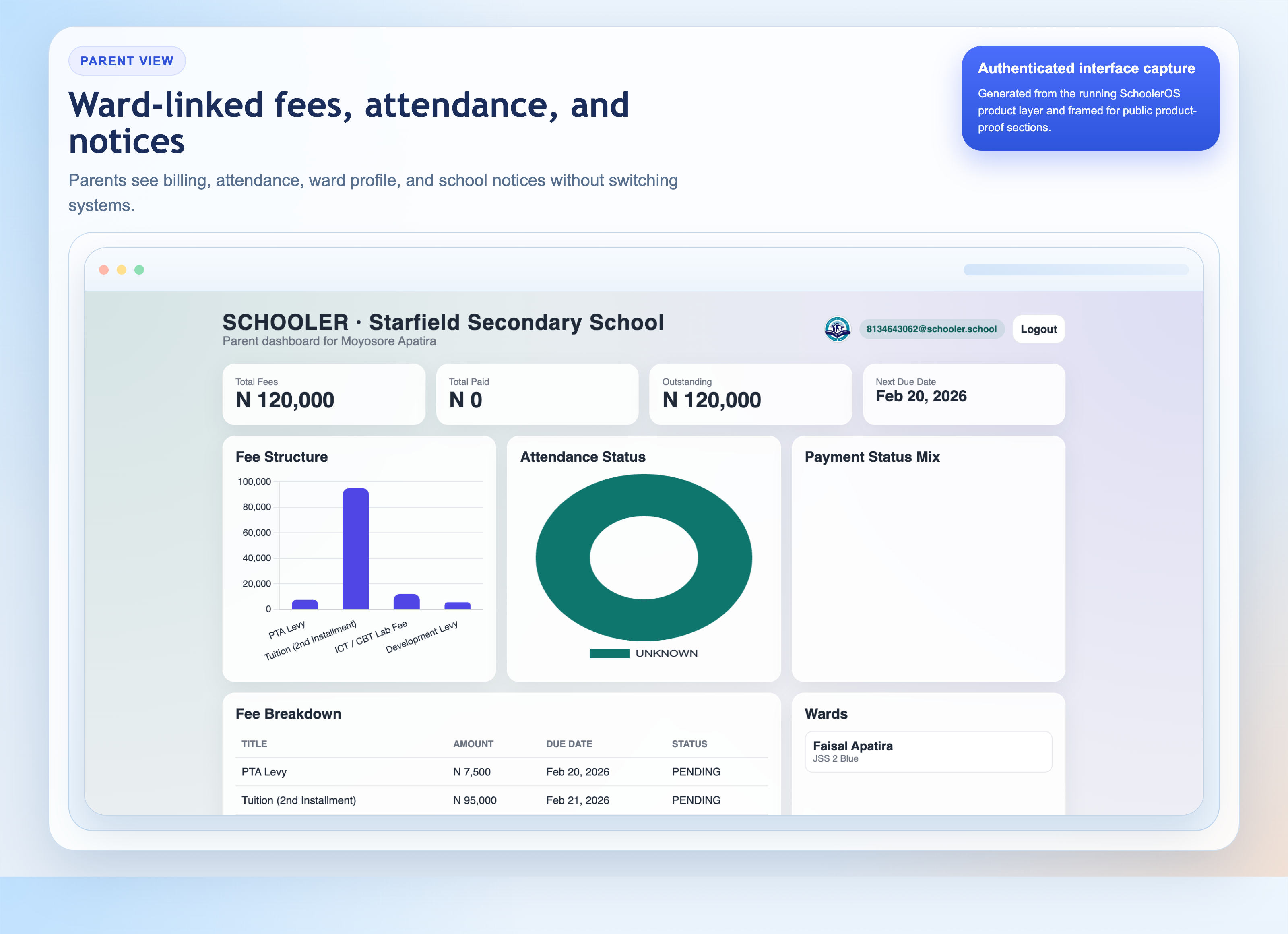
Parents
Need attendance, messages, fees, assignments, reports, transport alerts, and school communication in one place.
ROLE COMPARISON
A practical summary of who sees what in the system.
| Role | Main focus | Typical actions | Why it matters |
|---|---|---|---|
| Owner | Whole-school visibility | Approvals, high-level oversight, staff resets, strategic decisions | Keeps leadership in control without needing to operate every daily task directly |
| Principal | Academic and learner oversight | Monitor results, attendance, school notices, operational follow-up | Lets academic leadership govern performance and discipline cleanly |
| Bursar | Fees and payment workflows | View balances, send reminders, reconcile statements, issue fee communication | Finance work stays focused without exposing broader learner administration |
| Teacher | Assigned learners and subjects | Assignments, scores, attendance, result entry, class-specific actions | Improves usability by limiting screens to what the teacher actually needs |
| Operations / records | Daily administration | Admissions, records, timetable setup, communication support, learner data maintenance | Gives the school a stable operational backbone for day-to-day use |
| Parent | Ward visibility and school communication | Read alerts, download reports, check attendance, monitor assignments and fees | Builds parent trust by making school information structured and accessible |
Why this structure converts better
- Schools worry less when every staff member does not see everything
- Training becomes easier because each team learns a smaller surface area
- Parents experience a cleaner interface built around their own wards
What leadership teams usually ask
- Can we delegate without losing control?
- Can teachers work only within their assigned responsibilities?
- Can bursars and operations teams avoid unrelated system clutter?
- Can parents see what they need without accessing internal school data?
KEEP EXPLORING
Pair the role view with the buying case, rollout sequence, and admissions workflow.
Leadership case
See why schools switch in the first place
Review the operational and parent-experience reasons leadership teams move to SchoolerOS.
Operational rollout
See how the launch is staged
Understand setup, training, validation, and the first-term decision path.
Admissions workflow
See how new families enter the system
Explore how applications, documents, review, and enrollment tie into the platform.
NEXT STEP
Need to review how the role structure would fit your school’s real staffing model?
We can walk through owners, principals, bursars, teachers, operators, and parents using your exact school scenario.